Abbey is doing it, she’s learning to use sentences! Here’s a video of her asking for waffles..
I’ve been talking to the gals working with Abbey about how to teach her to do this and we’ve been brain storming, then at our last school meeting, the school team and I came up with which words to add to start with, to start the process. It sure has been a long road to get here, but it’s so cool to see her catch on so well! It sure takes a village! Here’s a screen shot of Abbey’s ‘home page’ with the words we added.
Here’s the screen shot of her asking for waffles. In the video, you can see how easily she navigates to find what she wants, another long work in progress! Proloquo2Go is so amazingly easy to add whatever we want and however we need it on there!
So, we used to have just one button for ‘I want’, we started by separating that into two. The school had already really been working on having her add on ‘please’ to the end of her requesting sentences, to that part was easy for her. Then we added ‘to, a, and the’, which I think will take a bit longer for her to learn to use. So, what do you think?:)
Thank you so much for everyone’s help and support, including Abbey’s ‘team’ and the folks at Proloquo2Go!
Don’t forget to check out Abbey’s other videos, there’s a link to them on the home page!
Abbey’s Year, 2012 video, click here. It’s just a brief glimpse of what our world, Abbey’s world was like in 2012, of her triumphs and struggles. She’s growing and learning, she’s continuing to communicate more, initiate more, reference us more…it’s truly amazing, blessings abound!
In the video you’ll see glimpses of her communicating with her iPad, with Proloquo2Go. You’ll see her first trip to Disneyland. You’ll also see some FIRSTS that were so exciting for us, her birthday blew us away this year, no pun intended.:) Christmas was incredible, seeing a true desire to celebrate, remembering from past experiences and truly enjoying the tree and presents, not to mention her little Nativity Scene, even!
What you’ll also experience with us, with Abbey, are some struggles…ugh, those stinkin’ doorways, what is it about doorways? We may never know, for sure! And, elevators, yikes! She was so incredibly brave on a trip in the car to California this year. I really didn’t know how it was going to go, it took a HUGE leap of faith…and, she did it! She did so well! There were some tough times, but overall, she sure surprised us, like she loves to do!:)
I really do want to thank all the people working with Abbey, helping her and us and all the friends and family praying for us every day….without you all, Abbey would not be the happy girl she is, succeeding in so many ways! I also want to thank a totally amazing husband who had enough faith for both of us that Abbey could succeed on a very long road trip, you were right, honey! One more thank you, thank you Lord for all of your provisions for our family, especially for our Abbey, for the strength you give us every single day to make it through the hard days and succeed on the good days!
Enjoy, and please, let us know what you think! Don’t forget to visit the link at the top of the page to see all of Abbey’s other videos on youtube, to see more!
Thank you!
Apps Abbey’s using are Proloquo2Go, to communicate and Count TV, a Sesame Street counting app, to help her learn to count.
Yep, Abbey knows how to spell and we didn’t even know it!Here’s the video of her spelling…
Sometimes it just takes a way for them to show us what they know. That can be pretty tricky, but I think technology, in the form of apps on the iPad is going to help them show us more and more!
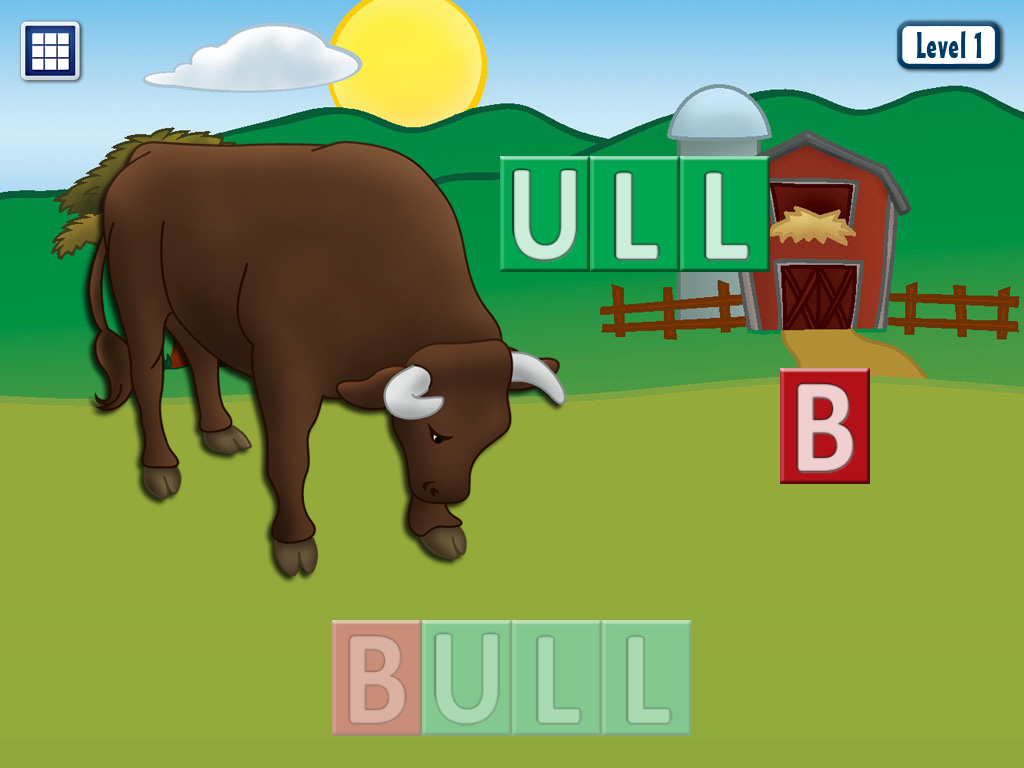
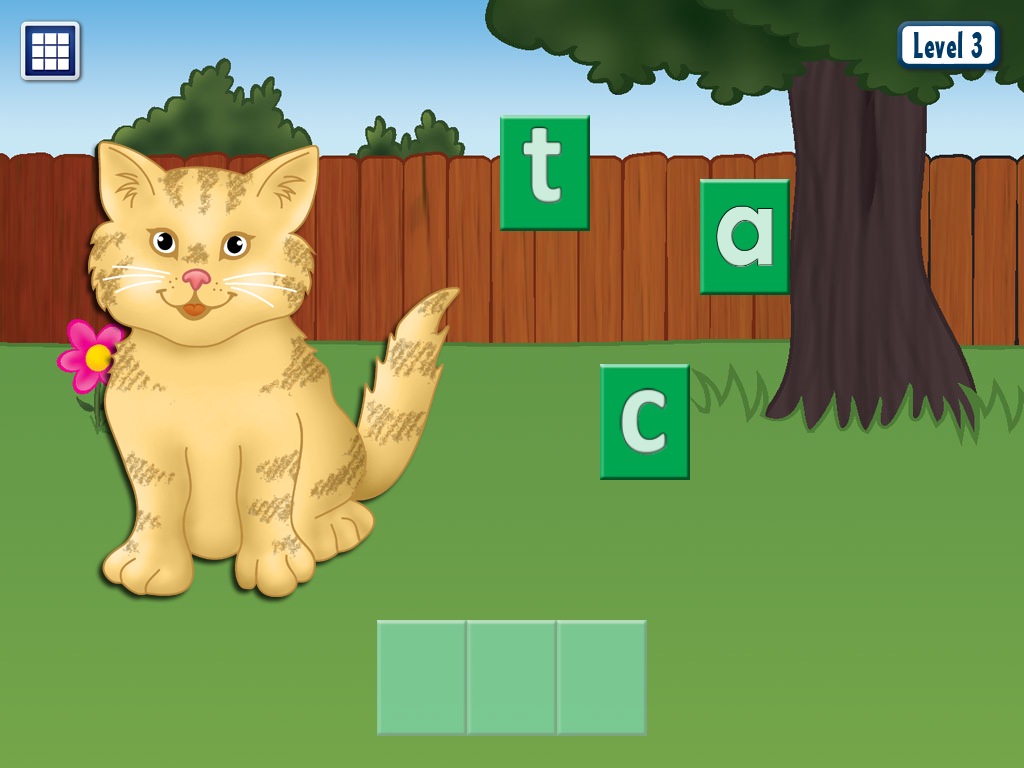
Yesterday, the behavior specialist working with Abbey was trying to get Abbey to do some puzzles on her own iPad. Abbey enjoyed a couple new puzzle apps. We were talking about how cool this app is, that the kids have to actually turn the puzzle pieces to make them fit and how well Abbey did at this, so we pulled up Word Book and Puzzle Box by Anlock (iPad only.) Abbey played with it for a bit as we watched her, marveling at how well she could do it and then we clicked on the other option in the app, the Word Box. As you can see by the first picture, there are two boxes, a puzzle box and a word box, kids touch which one they want to do to begin. As they successfully pass levels, they get to chose items to add to their “room.” Abbey likes to move around the toys in her “room”, but hasn’t shown much interest yet in picking the items when offered.
Abbey began putting the letters in the boxes, but something amazing happened. I hadn’t even realized the different levels, just like with the puzzles, making them progressively harder. Abbey hadn’t done the third level on very many, so we asked her to do a couple that she had already done the first two levels and she put the letters in like it was nothing! Her specialist and I just looked at each other in shock and awe! We both laughed excitedly and praised Abbey, she CAN SPELL! She could only do the simple words, but what a great start and what a great way for her to show us that she can spell!
So, let me explain and show you the levels that I was referring to.
The first picture below shows the first level. The first level shows them where to put the letters, much like Abbey’s favorite app, First Words (there are many apps to chose and a free, lite version.)
The second picture below shows the second level. It gives them a color clue of where to put the letters, but the letters are not there as in the first level.
The third picture shows the third level. The third level does not give them any clues or hints, just plain spaces to put the letters. It will not allow them to put a wrong letter in a wrong space, as in the other levels.
Below is a picture of Abbey’s favorite word app. It shows her the letters, she’s just matching, but what great practice! This is from First Words:
There are some great apps out there to help kids like Abbey learn to spell and read, another one of her favorites is Starfall Learn to Read. Below, you’ll see that it has a lot to offer. The kiddos pick a place to start, then can pick which word to work on. They have a choice between spelling the word or watching a cute little video.
One other really great spelling/reading app is Bob Books 1. Abbey enjoys this one as well. There is a second Bob Books 2 app that is harder, also available. It has short, small little, easy to read stories giving the kids a chance to spell each of the main words. These are the HD versions, there are regular versions available for a lower price and free, lite versions to try out, as well!
We also love the apps by Grasshopper apps, like Little Speller 3 Letter Words and Little Reader 3 Letter Words, as these are FULLY customizable! You can add your own pictures and words for them to learn to spell and can chose, in settings, if you are going to allow hints or not. In Little Reader, they match the words to the pictures. There are free, lite versions available for these apps as well as harder versions.
Here’s to hoping you guys find ways for your kiddos to show you what they know! It’s just like witnessing a miracle when they do! I’m so thankful for amazing apps like these, giving Abbey to chance to show us!
FYI, I do not get compensated from any app developers, just sharing what works for Abbey.
Abbey loves tracing and learning to write because of these apps, they make it fun! Out of the many we have tried, these are by far, her favorites…the ones she will pull up on her own and play with over and over. To me, that is very important, a motivation to learn! Here is a video of her using all three…Abbey’s Video.
The first is Write My Name by Injini. This app is for the iPad, only. It gives her three choices of what to trace: letters, words or her ‘name cards’ that I have customized for her. For the name cards, you can use add whatever you’d like. We chose to use the people in her family, including their pictures, names and their own voices saying their names. So, Abbey sees our pictures, learns to write our names and hears each of our voices. I believe this has helped her learn who we all are. Sounds strange that we would need to teach her this, but just a few months ago, she really didn’t know our names. If I asked her to give something to a certain family member, she didn’t have a clue. She’s learning and enjoying learning!
The next app is Letter School and what fun it is! They chose letters or numbers to trace. What is so unique about this app is that there are three levels of learning for each letter/number. All they have to do is touch a ‘dot’ in the first level (first star) and it shows them how to make it. The next level (second star they click on) shows the letter and they need to trace it the correct way. Once they get these first two levels correct, it offers them a third star at the bottom to click on to try the third level. For the third level, it briefly shows them the letter and then it disappears, only showing where to start. They have to write the letter/number on their own. This sounds like maybe it gets too hard, too fast, but don’t worry. If they have trouble, it shows them arrows of which way to go and then if they still have difficulty, it shows parts of the letter for them. This helps Abbey succeed, so she wants to keep trying.
The third app is Elmo Loves ABC’s, (there is also a lite, free version available.) This app is for the iPad only. What’s funny, is I had taken this app off, as it is a fairly large app in the way of how much space it takes up. Abbey saw a screenshot picture under her photos, a picture taken by mistake probably. She saw this app and put my finger on it, wanting it open, so yes, we have put it back on and she loves it! It has a fun alphabet song (which Abbey plays a bit too much, for my liking:) and then tracing and videos for each letter. Abbey enjoys picking a letter and tracing it, then watching the video. And, she loves Elmo, so I am sure this is a very motivating factor, as well!🙂
Here’s some other great handwriting/tracing apps you can try with your kids:
I want to share our experiences with cases to save you guys some money as I know many of you are looking for that case that’s going to save your kiddo’s iPad, but which one? The contenders seem to be the Griffin Survivor (or link for a black one) and the Otterbox, from what I have seen and heard. They both claim to do a great job protecting against lots of wear and tear and both come with stands.
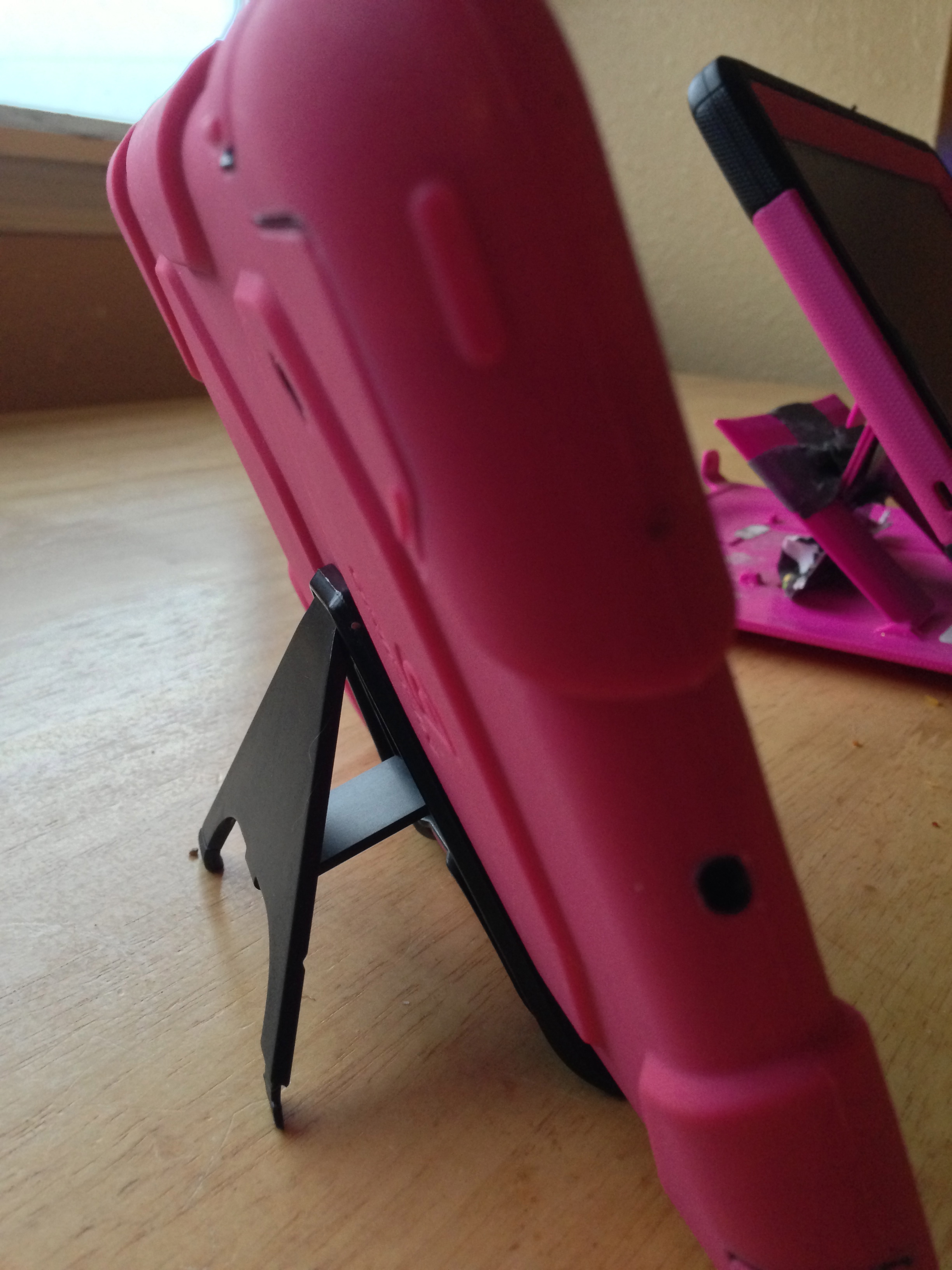
So, we bought a Griffin Survivor for our daughter’s new iPad mini, pictured above. We have never had a Griffin before as we’ve always gone with Otterboxes. The Griffin was cheaper on amazon, so we thought we’d give it a try. We’re pretty disappointed in it. The hard plastic shell that you put the iPad in, is so much thinner than all the Otterboxes we have had. The rubbery, plastic part that goes on the outside almost feels a bit thicker but there are flaps covering some of the holes that seem like they would break off easily. One of the flaps covers the camera and you have to try to hold it back while you take a pic, which is a pain. Then we get to the stand. This is a must for my daughter, Abbey, with autism. As you may be able to see in the picture, her Otterbox for her old iPad one in the background is duct taped. After many new stands, we finally gave up and taped it. I have seen the stands for the newer iPads and the iPad minis by Otterbox and they seem much stronger. The stand for the Griffin is very weak and I think it props it up too high. Also, the stand for the Otterbox also serves as a cover that snaps over the screen, when on the go, very important for putting Abbey’s iPad mini in her purse as she has no idea about being careful with it, that it could break. All this to say, we’ll be getting an Otterbox for her iPad mini, as soon as we can! Hope this helps and I’d love to hear your thoughts and feedback on cases, we can learn from each other!:)
P.S. All of this goes for the cases for iPhones too! We have always had Otterboxes and I bought a Griffin survivor for my son’s iPhone 4….not good. The same with all of the above, plus the rubber that covers the power button at the top keeps pushing down on it on it’s own and trying to turn it off:(
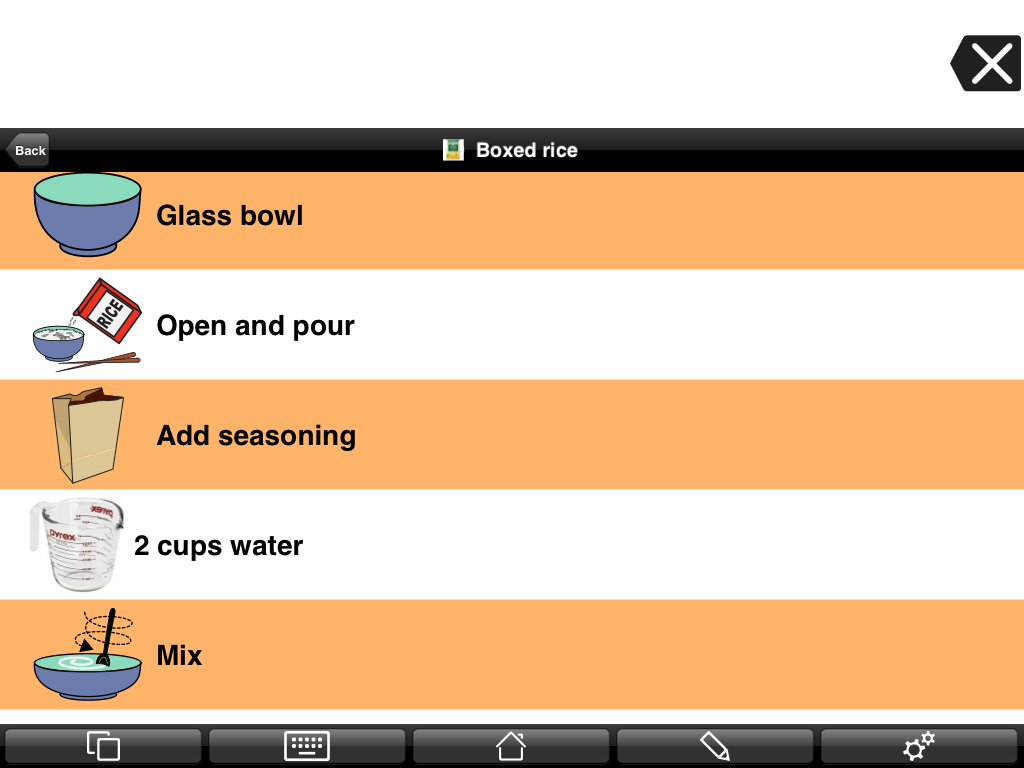
One of Abbey’s favorite foods is rice, so we decided that this may be a good place to start with teaching her how to cook. I can’t believe how quickly she caught on once we put the steps on her iPad mini, using Proloquo2Go, her communicating app. She is very visual! I made a video so you can see her in action, it’s very exciting for us!! Click on this link to watch…Abbey’s Video Making Rice.
The picture above is a screen shot, showing how I set it up. I am using “List View”, using the app Proloquo2Go. In the video, you will be able to see how I have it set under her ‘foods’ folder. Most of her app is set up using “Grid View” but there are some really great uses for the “List View,” like this. You’d use this for anything with steps, like a schedule, getting ready in the morning, etc..uses are endless, useful for whatever you may be working on with your child!
I’m so thankful for great technology and for great apps like this that help Abbey grow and learn! And, I’m so proud of how hard Abbey works to learn what she needs to learn, it can be so much harder for our kids with autism, or other disabilities than kids without…..Our kids are so Brave!
Help Kids with Autism with Fine Motor Issues and with Pincer Grip!! And it’s FREE right now! For iPad only. Please check the price before you download and make sure it is still free, free for a limited time!
“Introduce your kids to the first app to help children to develop the pincer grip needed at school. Many children are coming into school unable to properly hold a pencil. As time spent drawing on paper or coloring with crayons is swapped for screen time, key fine motor skills remain underdeveloped. But screen time can also solve the problem and prepare kids for the pencil-and-paper tasks they encounter in school. Mrs. Judd’s Games’ new app, CHALK WALK, is designed to fill in the blank: young hands get needed exercise as they use a thumb & finger pincer grip to play this fun, innovative, teacher-designed game.”
Visual timers are great for kids with autism. There are many timer apps to choose from, this is an example..and it’s free today only. This one is only for the iPad. Please check price before you download, only free for a limited time!








 Write My Name




 abbeysvoice