Yes, it’s been a long, hard road…but nothing has been more rewarding! Watching Abbey slowly, gradually be able to tell us more and more, nothing is more amazing! So, I get asked A LOT how we taught Abbey, how we started, what we used and how we have her Proloquo2Go set up. So, I tried to put it all together in a video, hoping that it will help and encourage people to get started and get some good ideas! Hope it helps!
Ok, first of all before you watch the video, be aware, there is a really loud squeal, so prepare yourself. No, it’s not from Abbey, it’s from me! Abbey has never, ever said the word “mom”, verbally before or on her iPad without prompting! Once again, had to do with food…but I so don’t care.:) Yes, hearing that was simply amazing, beyond words! I wish I could take credit for that one, but the school is where they have been working hard on her adding the person’s name that she’s talking to…I just love that! And, she’s not only figuring it out, her skill is transferring to home so well! I’m so proud of her! So, here it is, the short, but very sweet video…again, sorry if I hurt your ears.:)
Click on the very short, but very sweet video below, to watch the miracle!
Ok, there are several ways that you can transfer your vocabulary from one device to another, but this seems to be the easiest, for myself. So, here’s a quick video of how I do it….Hope it helps!:) Just click on the short video below! AND, then the video below is how to e-mail the vocabulary to someone else, like their teacher.:)
Child Proof Proloquo2Go…please pass on to Proloquo2Go users!!
Also folks wanting to use Guided Access, Part 2 is a must watch!:)
I get asked very frequently how to child proof Proloquo2Go, so I made a couple of quick videos to show you how! Please share with anyone using Proloquo2Go, so that they can keep all of their work safe!
Here’s the first one! Just click on the videos to view them!
Here’s Part 2: Child Proofing Proloquo2Go, using Guided Access, disabling parts of the screen…anyone using apps with kids could use this one!!:) You learn how to use Guided Access, along the way, too!
I also end the video with how to enable restrictions so that kids can’t delete apps, install apps or in app purchases.
Hope this helps!
Check out our other videos of how we are helping Abbey grow and learn with Proloquo2Go and ‘her’ review on many, many apps!:) http://www.youtube.com/famof6
Ok, I’ve posted about Pictello before, how we use this app for social stories, teaching Abbey what to expect, what to do in situations. So, we’ve got stories about Going to the Dentist, for example.
We also love Pictello because it has opened up a new world for Abbey. She figured out that she loves to look at pics of herself and her family doing things. So, I make stories about our trips, about new things she does and experiences, so she can look at it all again!
Well, yes, Pictello just got even better! Not only is it very simple to use, for myself and for Abbey…but now, YES, you can ADD VIDEOS!! Wow, to see Abbey’s face, the first time she opened up one of her stories, clicked on a page and it was a video….priceless! She started off with a huge grin and then was just giddy! It adds another whole dimension! So, now to think about ways we can use this new feature to help her learn and grow….
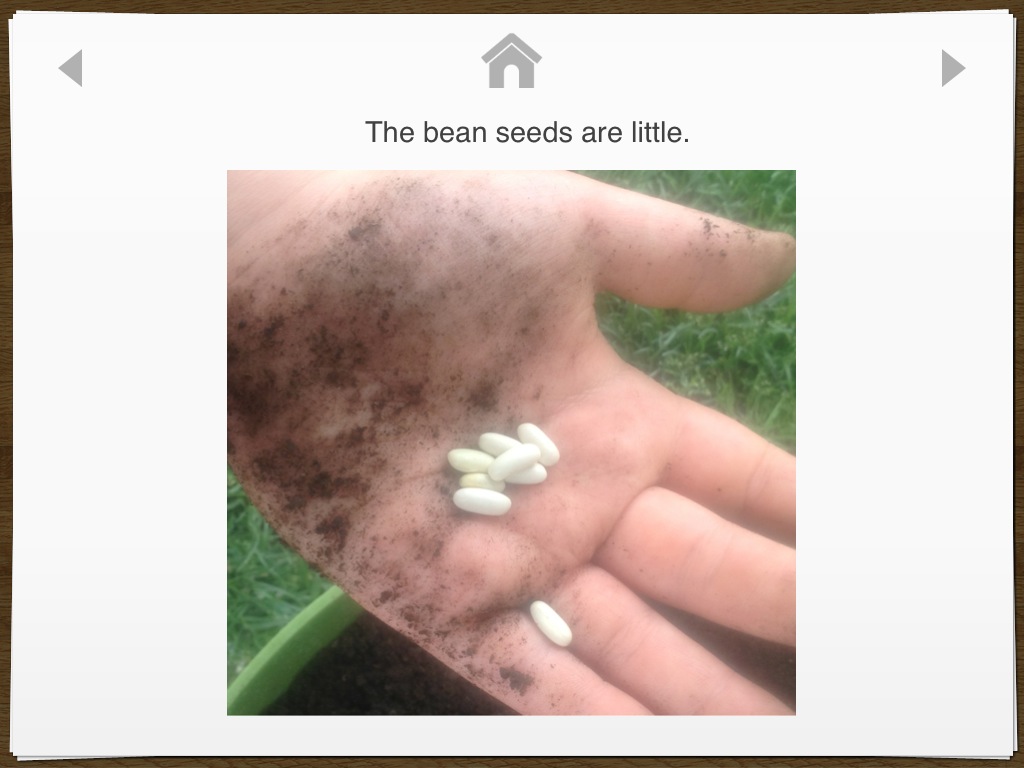
Here’s a pdf, Growing Beans, of one short, simple story I made using Pictello, of us planting bean seeds. I hope to use it again next year and see what she can do without my help! The page in the story without words, is actually a video,:) If you have Pictello, we can share stories! I can send you a Pictello link of a story that you can put on your Pictello, to look at and use, if you’d like.:) Just let me know!
Well, for some reason teaching quantity, for Abbey, has been a huge challenge. So, finding apps that she likes that can help with this has been a lot harder than, say, word apps, tracing apps, etc..
Watch a video of her playing with her fav ones…Click here! Or just click on the video below, to view it!
The pics shown are from the app, Critter Doodle Math: Numbers. There are lots of activities, but by far, Abbey’s fav activity is the tracing. I am pretty sure it’s because you pop the bubbles as you trace the number, but then the cool part is that, as you see below, when they are finished tracing the number, bubbles come up to pop and count, for each number. That’s a very motivating way for Abbey to learn quantity!
One of the other great activities is teaching largest to smallest, big and small. This has also been a hard concept for Abbey and she enjoys this activity as well!
I always get excited when a new app comes along that totally intrigues Abbey! This one, for the iPad, called Writing Wizard, did the trick!! It has so much to offer, things that kids love like fun interactions and things that us parents love, like amazing customization, detailed reports on how they are doing AND, it’s free today!!
It’s a really fun one..check it out!:) Here’s a video of us playing with it!
Abbey’s Year, 2012 video, click here. It’s just a brief glimpse of what our world, Abbey’s world was like in 2012, of her triumphs and struggles. She’s growing and learning, she’s continuing to communicate more, initiate more, reference us more…it’s truly amazing, blessings abound!
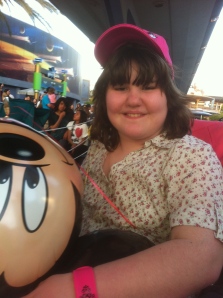
In the video you’ll see glimpses of her communicating with her iPad, with Proloquo2Go. You’ll see her first trip to Disneyland. You’ll also see some FIRSTS that were so exciting for us, her birthday blew us away this year, no pun intended.:) Christmas was incredible, seeing a true desire to celebrate, remembering from past experiences and truly enjoying the tree and presents, not to mention her little Nativity Scene, even!
What you’ll also experience with us, with Abbey, are some struggles…ugh, those stinkin’ doorways, what is it about doorways? We may never know, for sure! And, elevators, yikes! She was so incredibly brave on a trip in the car to California this year. I really didn’t know how it was going to go, it took a HUGE leap of faith…and, she did it! She did so well! There were some tough times, but overall, she sure surprised us, like she loves to do!:)
I really do want to thank all the people working with Abbey, helping her and us and all the friends and family praying for us every day….without you all, Abbey would not be the happy girl she is, succeeding in so many ways! I also want to thank a totally amazing husband who had enough faith for both of us that Abbey could succeed on a very long road trip, you were right, honey! One more thank you, thank you Lord for all of your provisions for our family, especially for our Abbey, for the strength you give us every single day to make it through the hard days and succeed on the good days!
Enjoy, and please, let us know what you think! Don’t forget to visit the link at the top of the page to see all of Abbey’s other videos on youtube, to see more!
Thank you!
Apps Abbey’s using are Proloquo2Go, to communicate and Count TV, a Sesame Street counting app, to help her learn to count.
Yep, Abbey knows how to spell and we didn’t even know it!Here’s the video of her spelling…
Sometimes it just takes a way for them to show us what they know. That can be pretty tricky, but I think technology, in the form of apps on the iPad is going to help them show us more and more!
Yesterday, the behavior specialist working with Abbey was trying to get Abbey to do some puzzles on her own iPad. Abbey enjoyed a couple new puzzle apps. We were talking about how cool this app is, that the kids have to actually turn the puzzle pieces to make them fit and how well Abbey did at this, so we pulled up Word Book and Puzzle Box by Anlock (iPad only.) Abbey played with it for a bit as we watched her, marveling at how well she could do it and then we clicked on the other option in the app, the Word Box. As you can see by the first picture, there are two boxes, a puzzle box and a word box, kids touch which one they want to do to begin. As they successfully pass levels, they get to chose items to add to their “room.” Abbey likes to move around the toys in her “room”, but hasn’t shown much interest yet in picking the items when offered.
Abbey began putting the letters in the boxes, but something amazing happened. I hadn’t even realized the different levels, just like with the puzzles, making them progressively harder. Abbey hadn’t done the third level on very many, so we asked her to do a couple that she had already done the first two levels and she put the letters in like it was nothing! Her specialist and I just looked at each other in shock and awe! We both laughed excitedly and praised Abbey, she CAN SPELL! She could only do the simple words, but what a great start and what a great way for her to show us that she can spell!
So, let me explain and show you the levels that I was referring to.
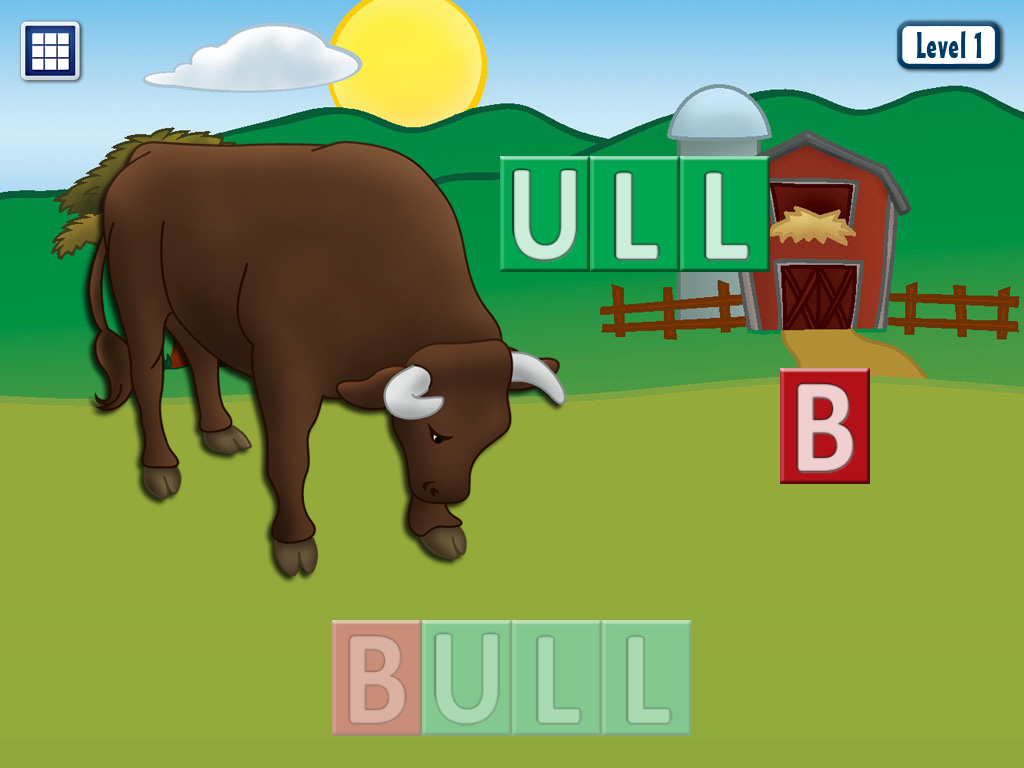
The first picture below shows the first level. The first level shows them where to put the letters, much like Abbey’s favorite app, First Words (there are many apps to chose and a free, lite version.)
The second picture below shows the second level. It gives them a color clue of where to put the letters, but the letters are not there as in the first level.
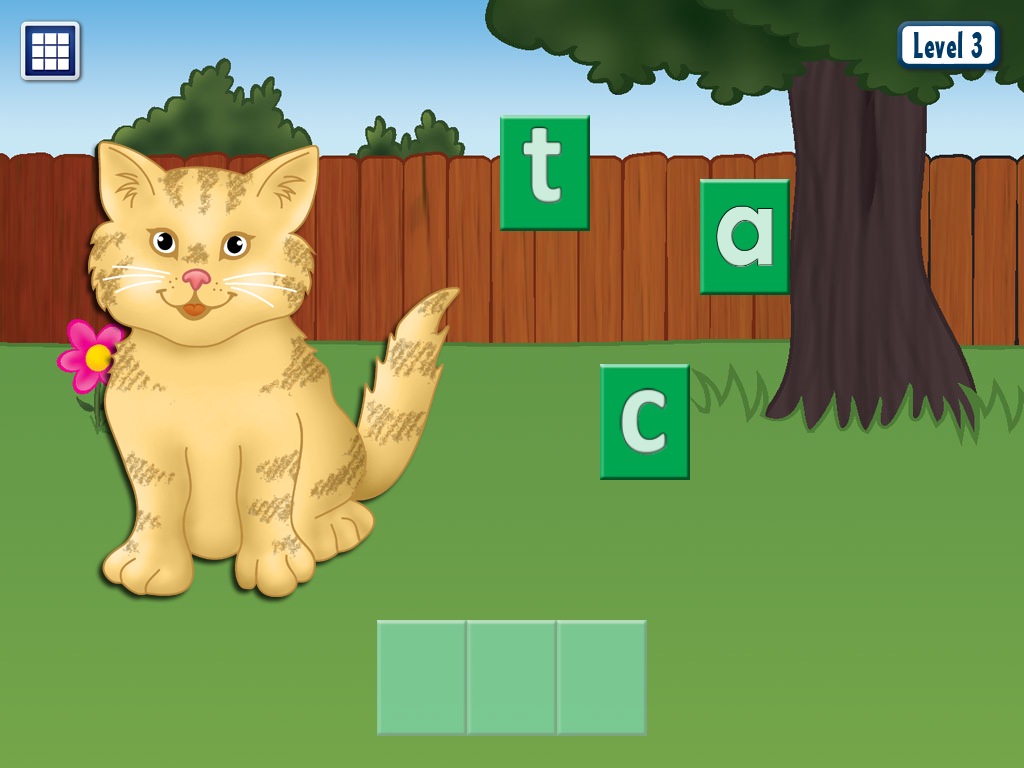
The third picture shows the third level. The third level does not give them any clues or hints, just plain spaces to put the letters. It will not allow them to put a wrong letter in a wrong space, as in the other levels.
Below is a picture of Abbey’s favorite word app. It shows her the letters, she’s just matching, but what great practice! This is from First Words:
There are some great apps out there to help kids like Abbey learn to spell and read, another one of her favorites is Starfall Learn to Read. Below, you’ll see that it has a lot to offer. The kiddos pick a place to start, then can pick which word to work on. They have a choice between spelling the word or watching a cute little video.
One other really great spelling/reading app is Bob Books 1. Abbey enjoys this one as well. There is a second Bob Books 2 app that is harder, also available. It has short, small little, easy to read stories giving the kids a chance to spell each of the main words. These are the HD versions, there are regular versions available for a lower price and free, lite versions to try out, as well!
We also love the apps by Grasshopper apps, like Little Speller 3 Letter Words and Little Reader 3 Letter Words, as these are FULLY customizable! You can add your own pictures and words for them to learn to spell and can chose, in settings, if you are going to allow hints or not. In Little Reader, they match the words to the pictures. There are free, lite versions available for these apps as well as harder versions.
Here’s to hoping you guys find ways for your kiddos to show you what they know! It’s just like witnessing a miracle when they do! I’m so thankful for amazing apps like these, giving Abbey to chance to show us!
FYI, I do not get compensated from any app developers, just sharing what works for Abbey.
Well, I had a much different blog post in mind this morning, guess we’ll save that one for another day. I woke up to the sound of Abbey throwing up. My first reaction was, ‘oh, my poor Abbey’, but then my second…’Ohh ohh, I can teach her how to tell me she has to throw up!’
Yes, you have to grab those opportunities to teach them to communicate when they come up! That is an important lesson I have learned over the years, with Abbey. There are so many things she won’t understand me trying to teach, unless they are happening, like something hurting, being angry or like today, throwing up. If I tried to teach her how to communicate these things to me when they were not happening, she wouldn’t get it.
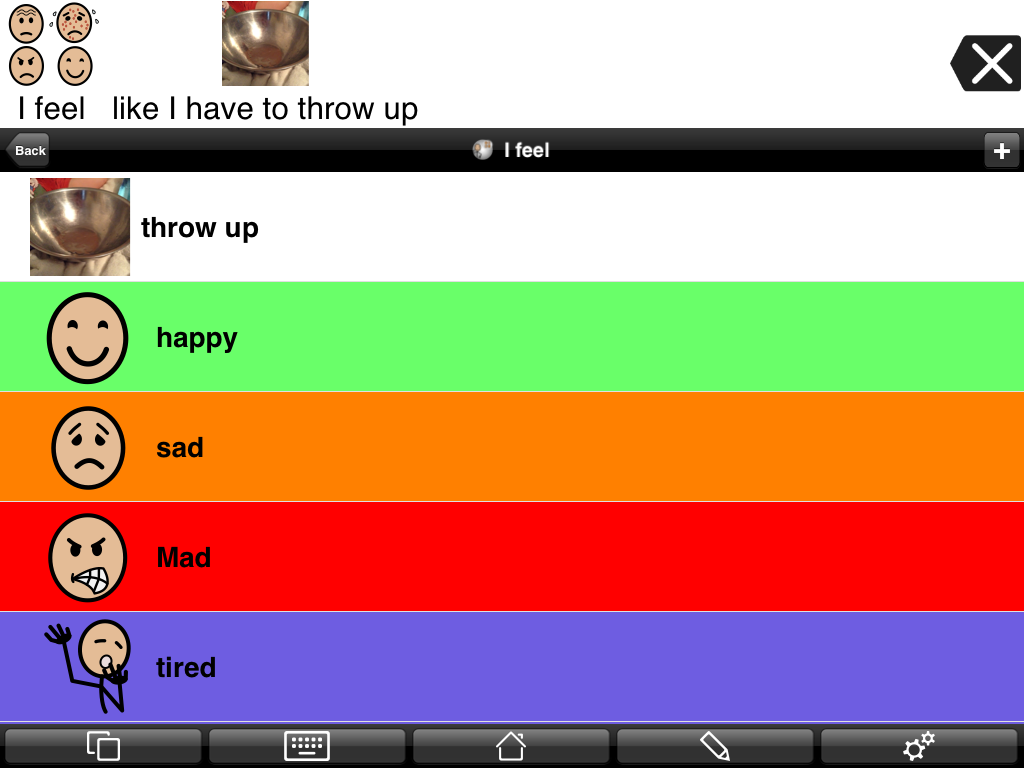
So, she has an “I feel” button on her home page of Proloquo2Go, that has feelings like happy, sad, angry, etc.. I once again used “list view,”another great opportunity to use this feature. And, I made some of the buttons different colors, like happy is green, angry is red, tired is blue, hungry and sick are blue too, etc.. (She has to scroll down to get to some of them.) This morning we added the ‘throw up’ button, that speaks “like I have to throw up” when she presses it. I moved it up to the top for easy access for today. There is a great picture in Proloquo2Go’s picture library of a sick face beside a toilet, for a ‘throw up’ button, but I had to go with a picture of our ‘throw up bowl’ as Abbey doesn’t understand to throw up in the toilet yet. Last time she was sick was when we taught her to use a bowl, which was a wonderful thing!:)
I actually put a ‘hurt’ button in her ‘body parts’ folder and in her ‘feelings’ folder. Last time her ear hurt, we went to her body parts folder and worked on communicating that her ear hurt.
So, what opportunity do you have today, to teach your little one to communicate? Grab them while you can!
(Don’t forget to ‘follow’ my blog to get all our blog posts! Button up on the top, right)







 abbeysvoice